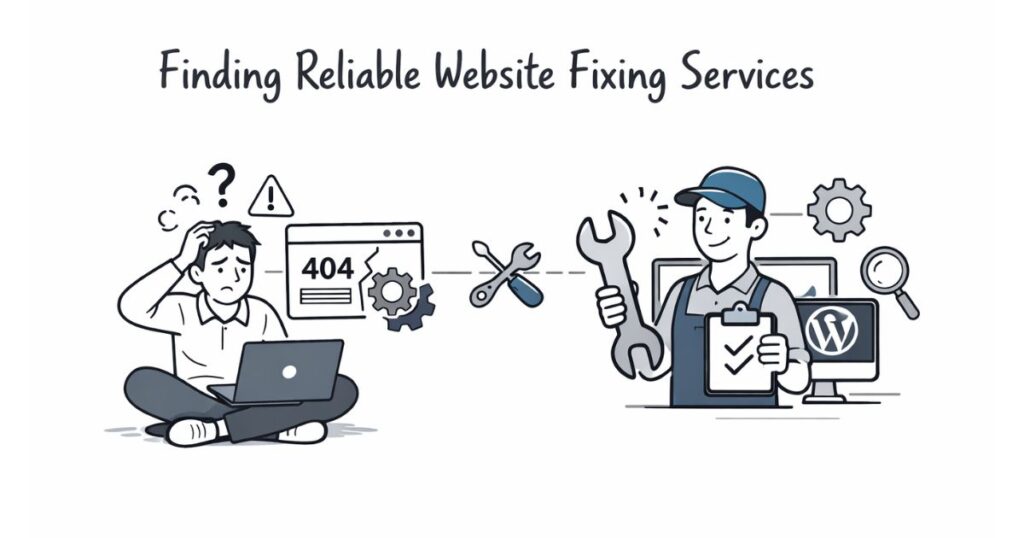
Is Your Website Falling Apart? Signs You Need Professional Repair
You work hard to build your brand. Your website acts as your digital storefront. It represents your quality to the entire world. However, websites are not “set it and forget it” tools. They are complex machines with many moving parts. Over time, these parts wear down or break.
Many owners ignore small glitches. They think a slow page or a broken link is normal. These small issues actually drive customers away. They also hurt your chances of earning money through ads or sales. If your site shows these signs, you likely need expert help. Professional repair saves your reputation and your revenue.
1. Your Loading Speed is Crawling
Speed is the most important factor for modern users. Most visitors leave if a page takes over three seconds to load. You can test your speed using free tools like Google PageSpeed Insights. If your score stays in the red, you have a problem.
Slow speeds often stem from messy code or unoptimized images. Sometimes, your server configuration is simply outdated. A professional developer knows how to “minify” your scripts. They compress your data without losing quality. This makes your site feel snappy and professional again.
2. The Dreaded “Not Secure” Warning
Have you looked at your browser’s address bar lately? You should see a small padlock icon. This indicates an SSL certificate is active. If your site says “Not Secure” in red letters, visitors will run.
Security is not just about hackers. It is about trust. Search engines also penalize sites without proper security protocols. A pro can install and configure your SSL correctly. They ensure every page on your site uses a secure connection. This protects user data and boosts your search rankings instantly.
3. Broken Links and 404 Errors
Nothing frustrates a user more than a “Page Not Found” error. These happen when you delete pages or change URLs. If you have dozens of broken links, your site looks abandoned. It tells Google that you do not maintain your content.
A professional repair service uses “crawlers” to find every dead end. They set up 301 redirects. These automatically send users to the correct new page. This preserves your “link juice” and keeps the user journey smooth. Do not let 404 errors kill your hard-earned traffic.
4. Your Site Looks Terrible on Mobile
More people browse the web on phones than on computers now. Does your menu disappear on an iPhone? Do users have to “pinch and zoom” to read your text? If so, your site is not responsive.
Google uses “mobile-first indexing.” This means they rank your site based on the mobile version. If your mobile site fails, your desktop site will also drop in rankings. A tech expert can update your CSS files. They ensure your layout adapts perfectly to every screen size.
5. You See Strange “Ghost” Code
Sometimes, weird text appears at the top of your page. You might see snippets of PHP or JavaScript where they don’t belong. This usually indicates a server error or a failed update.
This “ghost code” is a major red flag for visitors. It suggests your site is unstable or even compromised. Professional repair involves cleaning your core files. Experts remove the clutter and fix the logic errors. This returns your site to a clean, polished state.
6. Your Contact Forms Stop Working
How do customers reach you? Most use a contact form. If your “Submit” button does nothing, you are losing money every hour. Form errors often happen after a theme or plugin update.
A developer can test your SMTP settings. They ensure your website actually talks to your email server. They also add “validation” to your forms. This prevents bots from spamming your inbox while letting real customers through. A working form is the lifeblood of any business site.
7. You Are Plagued by Plugin Conflicts
Plugins add great features to sites like WordPress. However, too many plugins cause “code bloat.” Eventually, two plugins will fight over the same resource. This “conflict” can crash your entire layout or disable key features.
A professional will perform a “plugin audit.” They identify which tools are essential and which are trash. They often replace three or four heavy plugins with one clean piece of code. This stabilizes your site and improves your overall performance scores.
8. High Bounce Rates in Your Analytics
Check your Google Analytics data. Is your “Bounce Rate” over 70% or 80%? This means people land on your site and leave immediately. They are not clicking anything or exploring your content.
High bounce rates usually point to technical friction. Maybe the navigation is confusing. Perhaps the fonts are too small to read. A professional eye can spot these UX (User Experience) flaws. They fix the flow of your site so visitors stay longer and click more.
Why “DIY” Isn’t Always the Answer
It is tempting to try and fix everything yourself. You might find a YouTube tutorial or a forum post. However, clicking the wrong button in your database can delete your site forever.
Professional repair offers several benefits:
- Deep Diagnosis: Pros find the root cause, not just the symptom.
- Safety First: They create full backups before changing a single line of code.
- Future Proofing: They use modern coding standards that won’t break next month.
- Time Savings: You focus on your business while they handle the technical headaches.
Comparison: DIY vs. Professional Repair
| Feature | DIY Fix | Professional Repair |
| Cost | Low (Free) | Higher |
| Risk | High (Data loss) | Low (Guaranteed) |
| Speed | Slow (Trial and error) | Fast (Expertise) |
| Result | Temporary patch | Long-term stability |
Don’t Wait Until It’s Too Late
A broken website is like a leaking roof. If you ignore it, the damage only gets worse. Small errors turn into total site crashes. Your search engine rankings will tank. Your customers will move to your competitors.
Investing in professional repair is an investment in your brand’s future. It ensures your site remains a high-performing asset rather than a liability. If you noticed any of the signs above, today is the day to act. A healthy website is a profitable website.